1. Drop in your receipts
Drag PDFs and images in, or point it at a folder.
For freelancers and small businesses on Mac
ReceiptMatrix reads your PDFs and photos, pulls out totals, and sorts everything into Schedule C categories. Runs locally on your Mac. No cloud. No account needed.
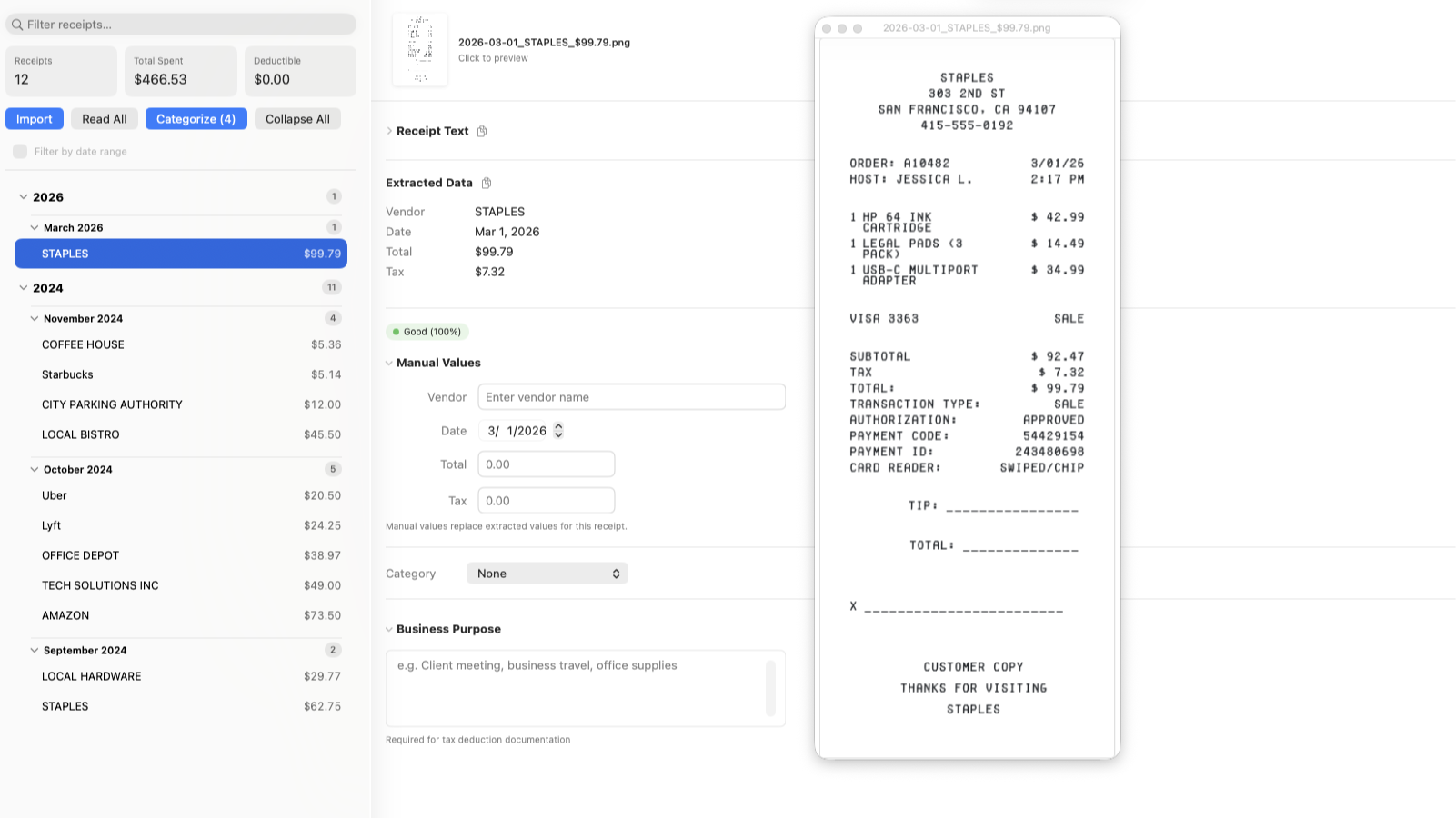
PDFs in Downloads, photos on your phone, emailed invoices you never saved. Sorting them takes hours. Your accountant needs everything by Schedule C category, and they needed it last week.
How It Works
Drag PDFs and images in, or point it at a folder.
Pulls out vendor, total, tax, and date. Suggests a Schedule C category.
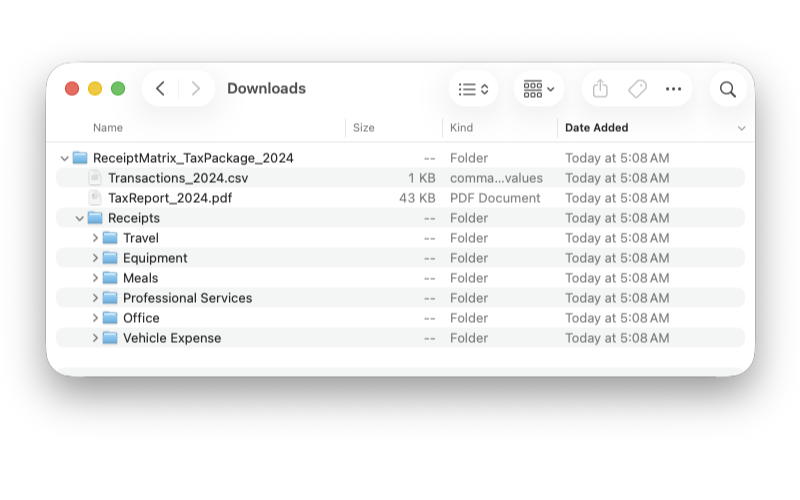
Get a CSV, PDF, or ZIP ready for your accountant.
See It In Action
Features
Point it at a folder. New receipts get processed as they appear.
Pulls out vendor, total, tax, and date. All on your Mac.
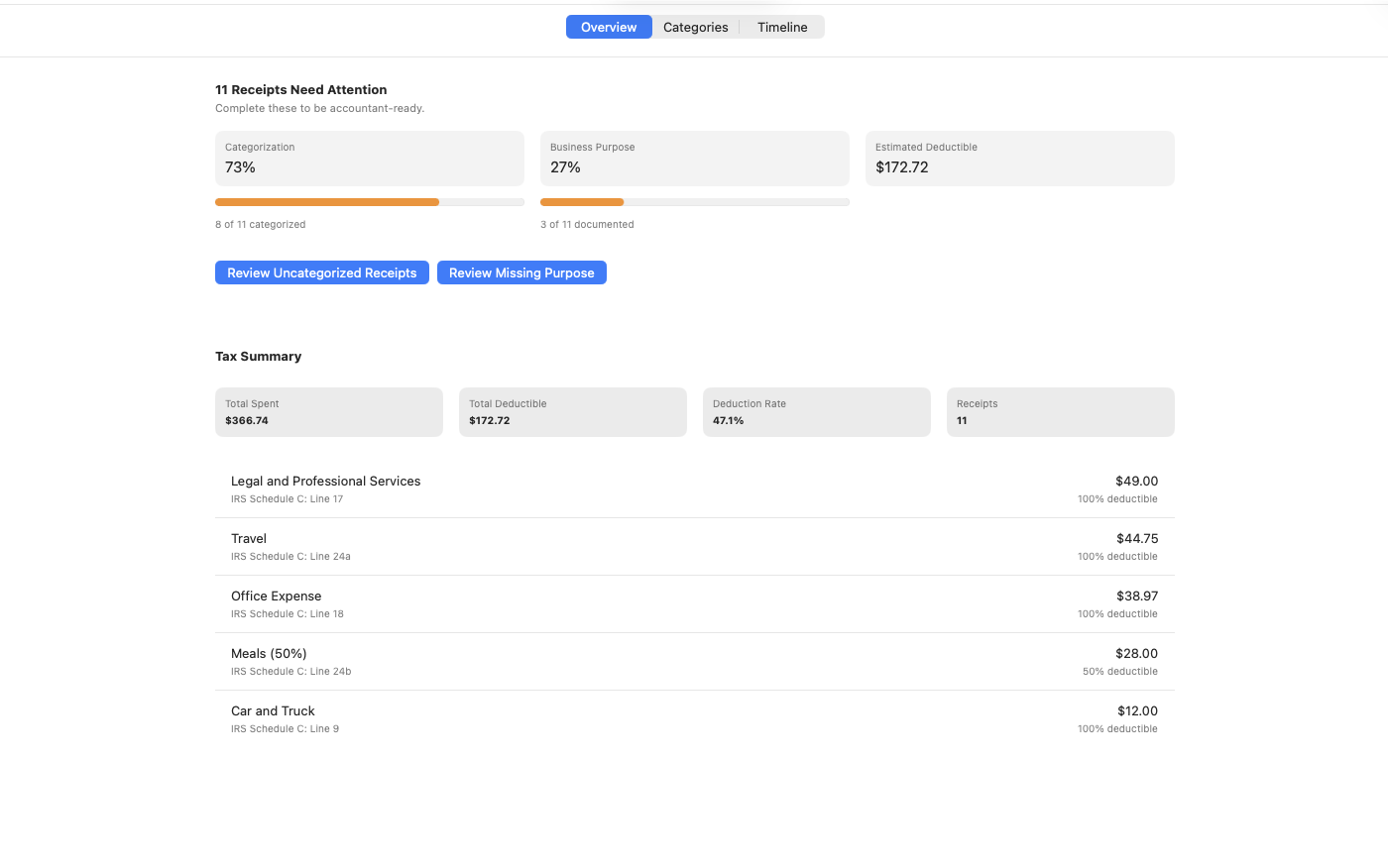
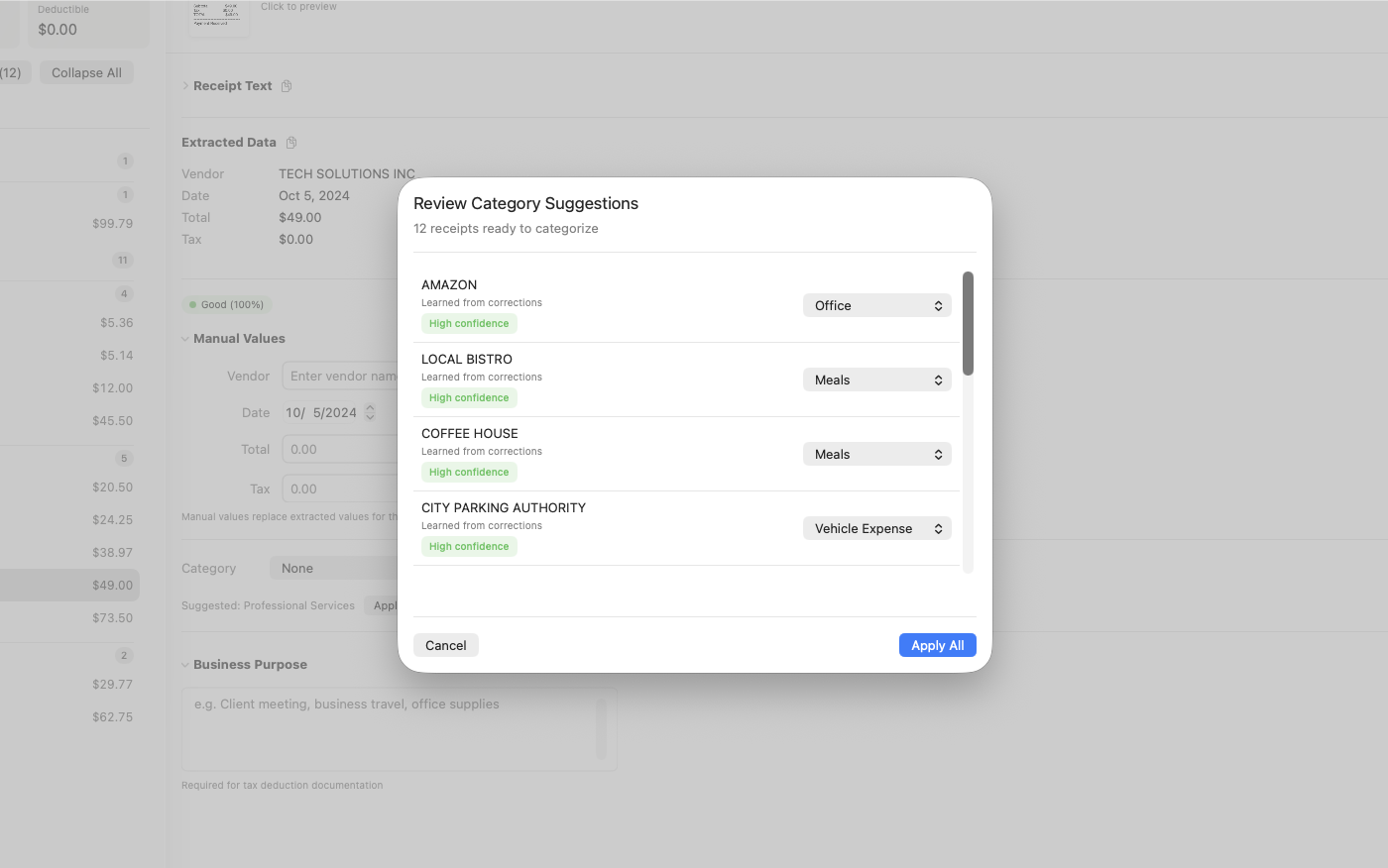
Suggests IRS categories. Learns when you correct it.
One ZIP with CSV, PDF summary, and organized images.
Formats your accountant can actually use.
Inside the App
Privacy
Everything runs locally. Your files and data never leave your machine.
Pricing
Get started, no strings.
$0
Pay month to month. Cancel anytime.
$12.99/month
Save $65.89 per year vs. monthly.
$89.99/year
SAVE 42%
Frequently Asked Questions
Yes. The free tier covers scanning and manual exports. Premium adds folder automation and tax exports, starting at $12.99/month.
No. All processing runs on your Mac. Network activity is limited to Apple StoreKit and optional analytics (off by default).
PDFs and common image formats including PNG, JPG/JPEG, HEIC, and TIFF. Drag and drop or use a watched folder.
ReceiptMatrix extracts vendor names and amounts, then suggests a Schedule C category. It learns from your corrections over time.
Yes. Export CSV, PDF, or ZIP packages with images organized by category.
Not yet. Mac only for now.
Read the docs for guided setup, or email [email protected] if you need help.
Start organizing receipts today. Free on the Mac App Store.